Email · phone · forms→One central operational queue
Bring reports together
Capture structured reports in one place instead of piecing together their history across channels.
Municipal reporting management
Give residents one simple reporting channel and municipal teams one accountable workflow to route, assign, resolve and communicate every report.
EN · DE · FR / For municipalities
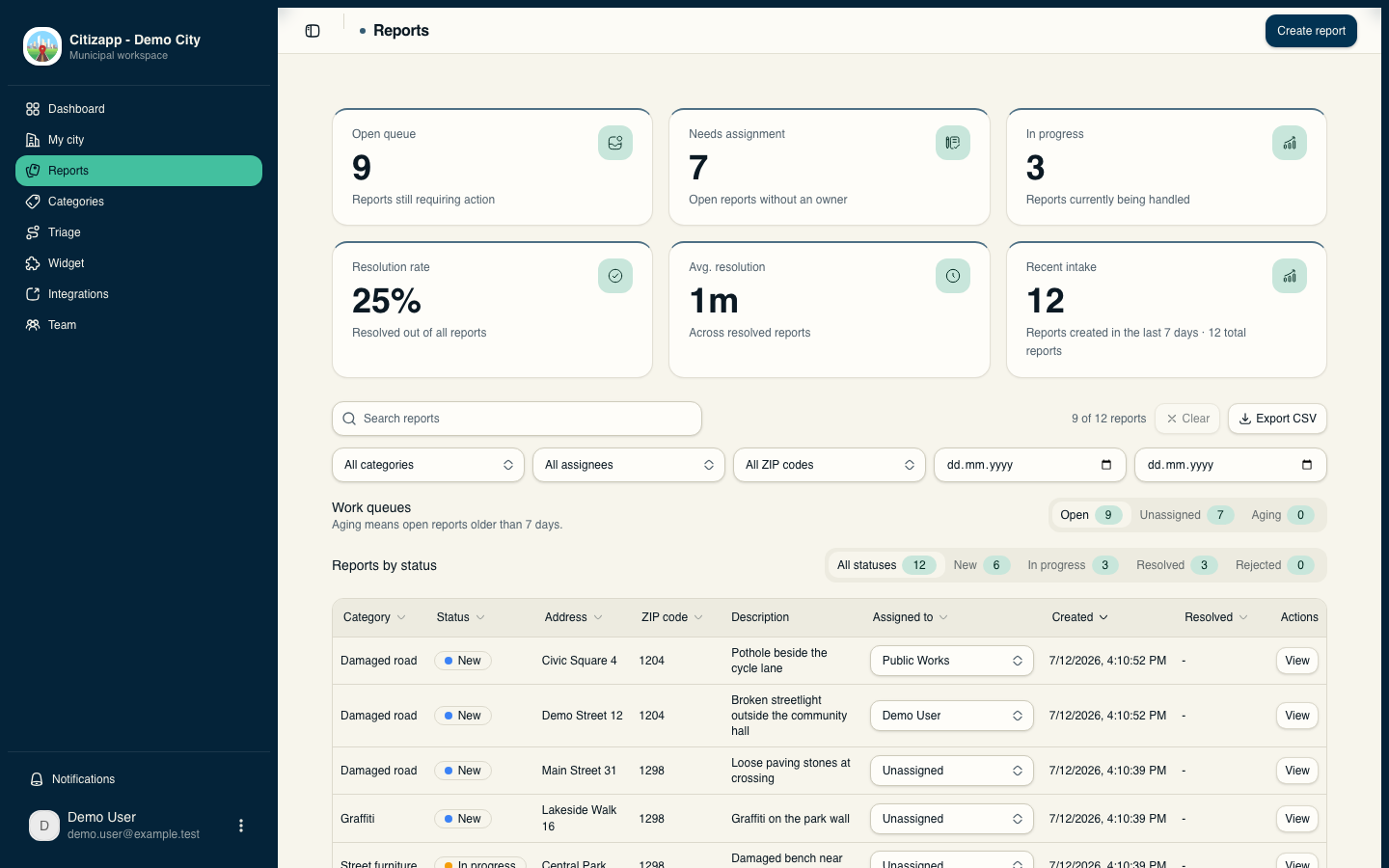
One service, not four inboxes
Citizapp keeps the resident experience simple while giving every report a clear owner, status and next step.
Capture structured reports in one place instead of piecing together their history across channels.
Use category, postcode and geographic-area rules to route work to the right team or person.
Separate public updates from internal notes and make progress visible through resolution.
The product
Each stakeholder sees what they need to move the same report forward—without turning the resident journey into an administrative form.
Choose a location and category, add an optional photo and submit without an account.
✓A simple, frictionless public entry point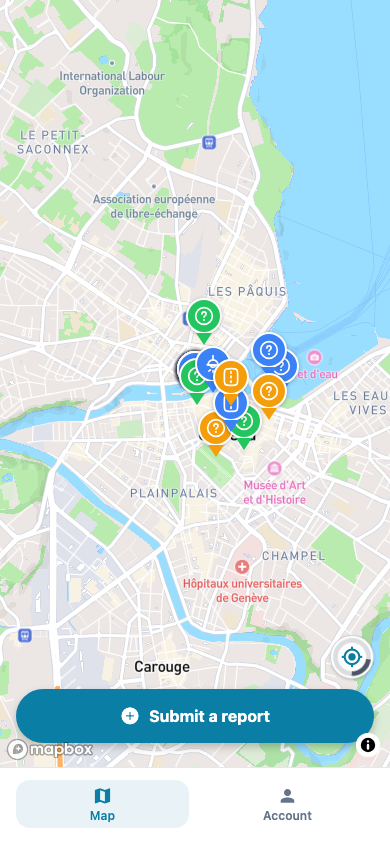
Filter the queue, review the map, assign each report and keep public and internal communication distinct.
✓One shared operational view Open assigned tasks, review context, add evidence and queue supported updates for synchronization when the connection drops.
✓Work efficiently online and offline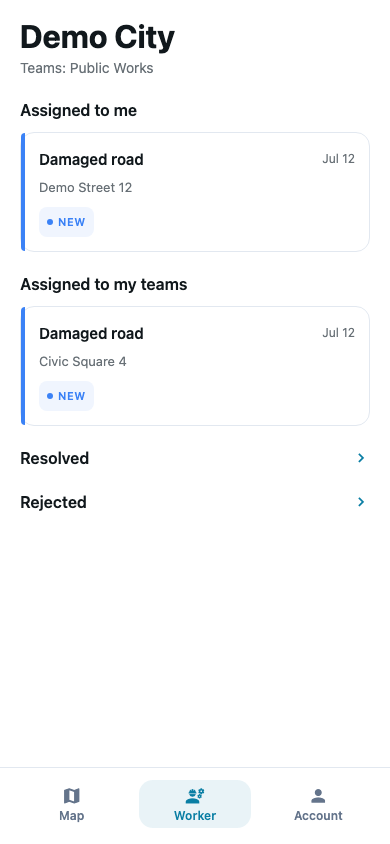
One accountable workflow
Ownership stays visible from the first report to the final resident update.
Submit a location, category and optional photo without requiring an account.
Apply category and geographic rules to the right team or person.
Process the queue, update the status and attach evidence online or offline.
Share the outcome publicly while keeping operational notes private.
Built for municipalities
Configure Citizapp around your territory, teams and existing channels.
Define postcodes, categories and geographic areas, then assign reports to the right team or person.
Give administrators, coordinators and field workers role-based access.
Provide a consistent experience for residents and municipal teams across the product and public updates.
Faces and licence plates can be blurred before publication.
Keep your municipal website as the front door and connect signed report, status and comment events to other systems.
Keep assigned tasks available offline and synchronize supported changes after reconnecting.
Adopt without starting over
Citizapp becomes the reporting and resolution layer behind the public channels your municipality already uses.
Define your territory, categories and resident-facing languages.
Invite teams and define automatic assignment rules by category and area.
Embed the reporting experience on your website or link to it directly.
Send supported signed webhook events to the systems that need them.
Frequently asked questions
Yes. Residents can submit a report with a location, category and optional photo. An account is optional and lets users follow their reports across devices.
Yes. The map and reporting flow can be embedded in a widget limited to your municipality’s postcode coverage, so your existing website remains the public front door.
Administrators configure rules using categories, postcodes or defined geographic areas. Incoming reports are automatically assigned to a team or individual based on priority.
Assigned work remains available. Supported responses, acknowledgements and status changes are synchronized after reconnecting.
Citizapp provides role-based access for administrators, coordinators and field workers. The application and support are available in English, German and French.
Public updates and internal notes remain separate. Faces and licence plates are automatically anonymized before publication.
We’ll tailor the demo to your current reporting channels, coverage and teams, then walk you through resident reporting, coordination, field work and available integrations.
A demo tailored to your municipality
Tell us how local issues arrive today. We’ll focus the demo on your coverage, teams and the operational steps you want to improve.
Request a municipal democontact@citizapp.ch